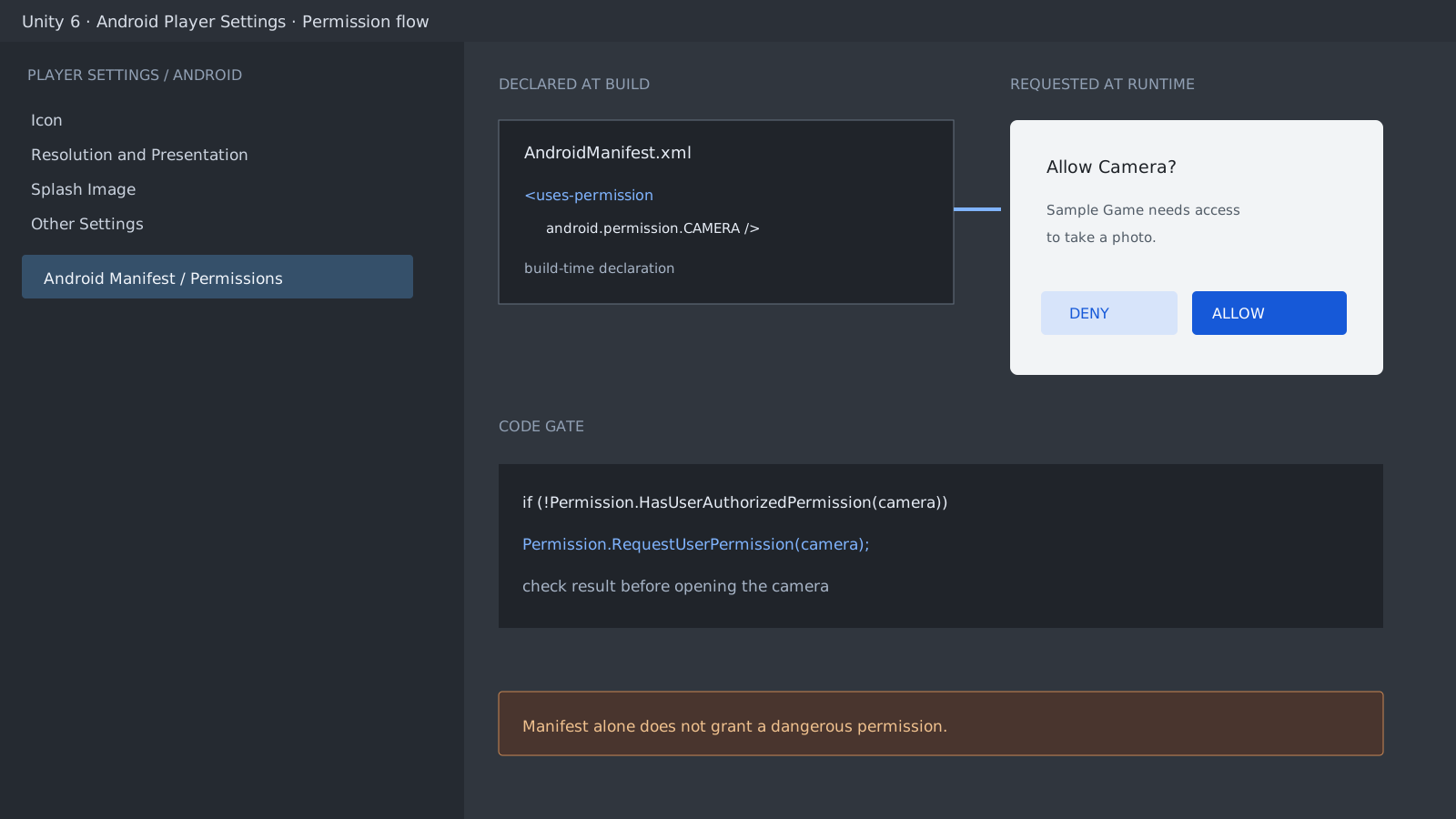
The Manifest declaration and runtime request are separate stages
A sensitive feature such as the camera needs a permission declaration in the built Android App Manifest and a user request at runtime. When a project supplies a custom Manifest, inspect the merged result in the final APK.
Unity can automatically add or request some permissions after detecting APIs such as WebCamTexture. Check the final Manifest and the runtime code together rather than relying only on the source Manifest.
<manifest xmlns:android="http://schemas.android.com/apk/res/android">
    <uses-permission android:name="android.permission.CAMERA" />
</manifest>
Do not repeat the request before checking state
Start with Permission.HasUserAuthorizedPermission. If access is not granted, request it when the player opens the camera feature. Android introduced runtime permissions in API 23, while Unity 6.5 supports Android 8.0, API 26 and later.
#if UNITY_ANDROID && !UNITY_EDITOR
using UnityEngine;
using UnityEngine.Android;

public sealed class CameraPermissionGate : MonoBehaviour
{
    private PermissionCallbacks callbacks;

    public void RequestCamera()
    {
        if (Permission.HasUserAuthorizedPermission(Permission.Camera))
        {
            Debug.Log("Camera permission is already granted.");
            return;
        }

        if (Permission.ShouldShowRequestPermissionRationale(Permission.Camera))
            Debug.Log("Explain why the camera is needed before requesting again.");

        callbacks = new PermissionCallbacks();
        callbacks.PermissionGranted += permission =>
            Debug.Log($"Granted: {permission}");
        callbacks.PermissionDenied += permission =>
            Debug.Log($"Denied: {permission}");

        Permission.RequestUserPermission(Permission.Camera, callbacks);
    }
}
#endif
Provide a useful path after denial
Repeated requests after denial might not show another dialog, depending on the Android version and device state. If ShouldShowRequestPermissionRationale returns true, explain why the feature needs access before requesting again. If the system no longer shows the prompt after repeated denial, disable the feature and explain how to change the permission in app settings.
A practical pass covers four states: allow on a fresh install, deny on a fresh install, request again after denial, and relaunch after access is already granted. Record the Android version and vendor when the issue is device-specific.
Official documentation review
Verified
Reviewed against the Unity 6.5 documentation and Android permission APIs for Manifest declarations, runtime requests, existing grants, and the post-denial rationale flow. Dialog appearance and repeated-denial behavior can vary by Android version and device vendor.