A type can exist in the Editor and disappear from a player
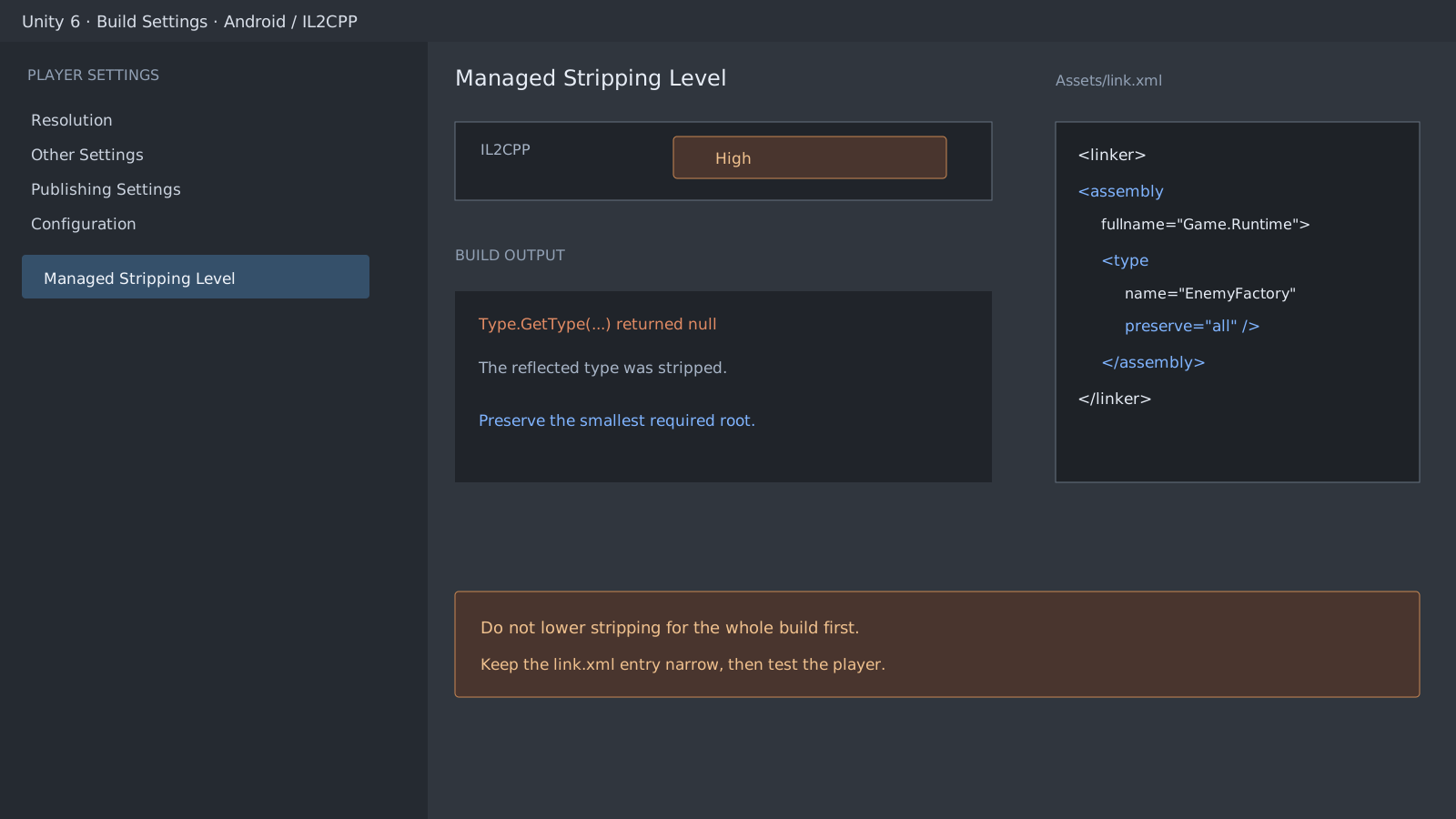
Managed code stripping removes types and members that appear unused in a build. The linker can usually find directly constructed or called types, but it might miss a type whose name arrives only from a configuration file or server response. The Editor can therefore work while Type.GetType returns null in an IL2CPP player.
A string does not guarantee that a type will be stripped. The Unity linker recognizes some simple reflection patterns. The risky case is a dynamic path where the final type name is not available to static analysis. Use an assembly-qualified name and handle a missing result.
LoadTypeNameFromConfig represents the project's file or server configuration reader. Because the snippet does not statically reference the target type, a preservation rule might be required.
using System;

string typeName = LoadTypeNameFromConfig();
// Example: Game.Runtime.EnemyFactory, Assembly-CSharp
Type type = Type.GetType(typeName);
if (type == null)
    throw new InvalidOperationException($"Type not found: {typeName}");

object instance = Activator.CreateInstance(type);
Apply either Preserve or a narrow link.xml entry
When you own the source of one target type, [UnityEngine.Scripting.Preserve] is the simplest option. Use Assets/link.xml when several targets must be managed together or the code belongs to a plug-in. If Game.Runtime.EnemyFactory lives in the default script assembly, the entry is:
Replace Assembly-CSharp with the real asmdef assembly name when the type is compiled through an assembly definition. Do not put [Preserve] on the failing example and then present link.xml as the fix; start without a preservation rule and add one method so the comparison is meaningful.
<linker>
  <assembly fullname="Assembly-CSharp">
    <type fullname="Game.Runtime.EnemyFactory" preserve="all" />
  </assembly>
</linker>
Adjust the stripping level last
Lowering Managed Stripping Level can hide the symptom while retaining more unused code. Identify the missing type and its real assembly, then add the smallest preservation rule. Finally, use a Development Build or logs to exercise the reflection path in the IL2CPP player.
Official documentation review
Verified
Reviewed against the Unity 6.5 documentation and APIs for dynamic reflection, Preserve, and link.xml. The guide does not claim that every string-based reflection pattern is stripped; it focuses on type names that static analysis cannot reliably discover at build time.