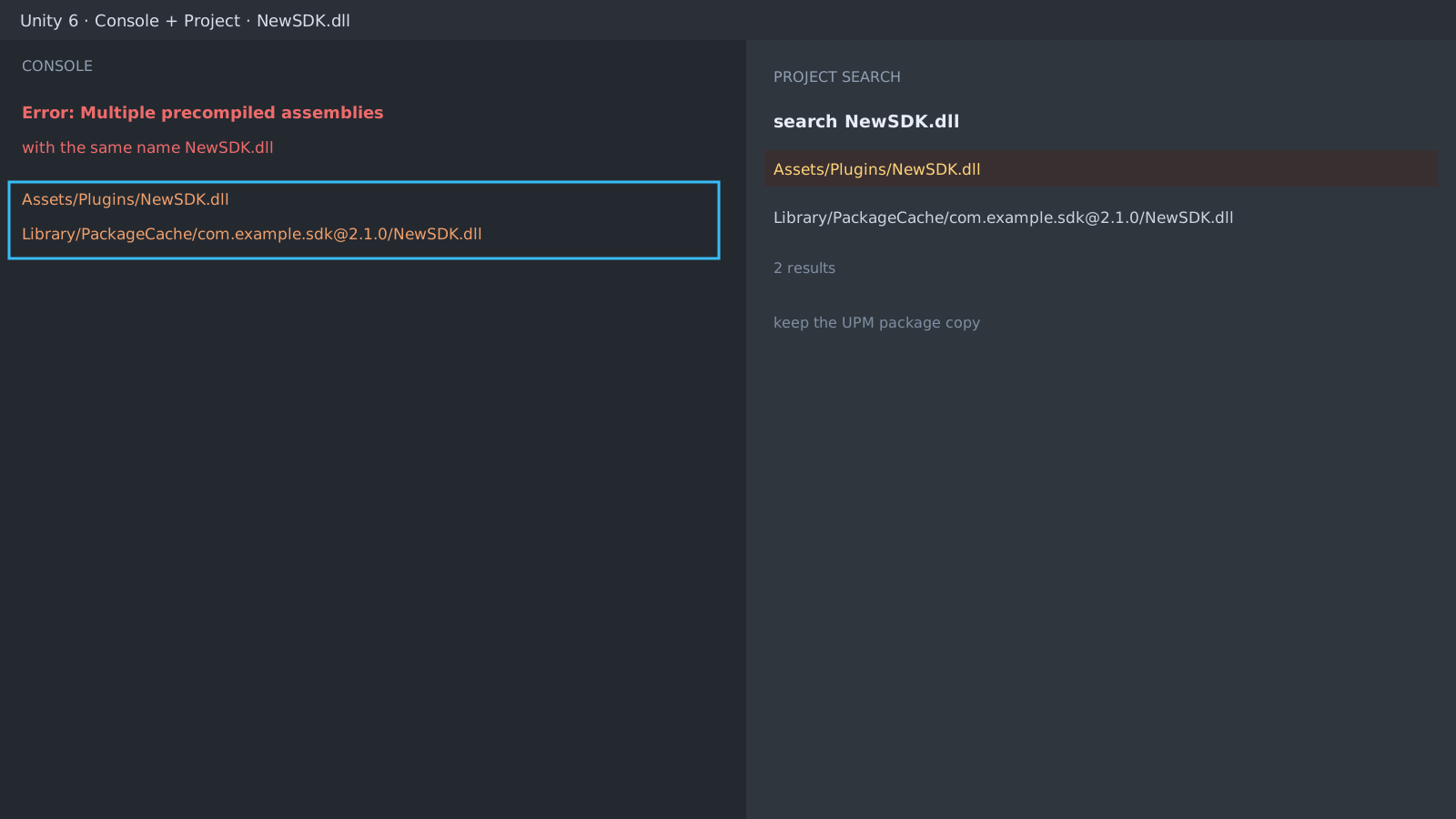
First check: the file name in the error
Search the Assets folder for the DLL name from the message. Usually the same file appears under Assets/Plugins/ and in the package cache. Bulk-importing sample assets is the classic trigger.
Keep exactly one copy
The rule is simple: keep the copy managed by the Package Manager (UPM) and delete the one under Assets, or the other way around. If game code references the copy's namespace, move those references first.
// Example search in the file explorer
Assets/Plugins/OldSDK.dll      <- candidate to delete
Library/PackageCache/.../NewSDK.dll  <- keep
Reimport to clean the cache
If the error survives the deletion, delete the Library folder and reopen the project for a full reimport; the cache can keep referencing the old DLL.
Expected result and next step
A clean compile means done. When more DLL conflicts chain up, repeat the same procedure, and use asmdefs to narrow import scopes if references break. Build-stage conflicts are covered by the Android Gradle guide.
Error: Multiple precompiled assemblies with the same name
NewSDK.dll (Assets/Plugins and PackageCache)Official documentation review
Verified
Reviewed the article's code and procedure against official Unity documentation and marked it ready for publication. This is not a claim of an independent Unity project or device reproduction; version- or device-specific reports will be checked in that environment as follow-up.