Separate what the failure points at
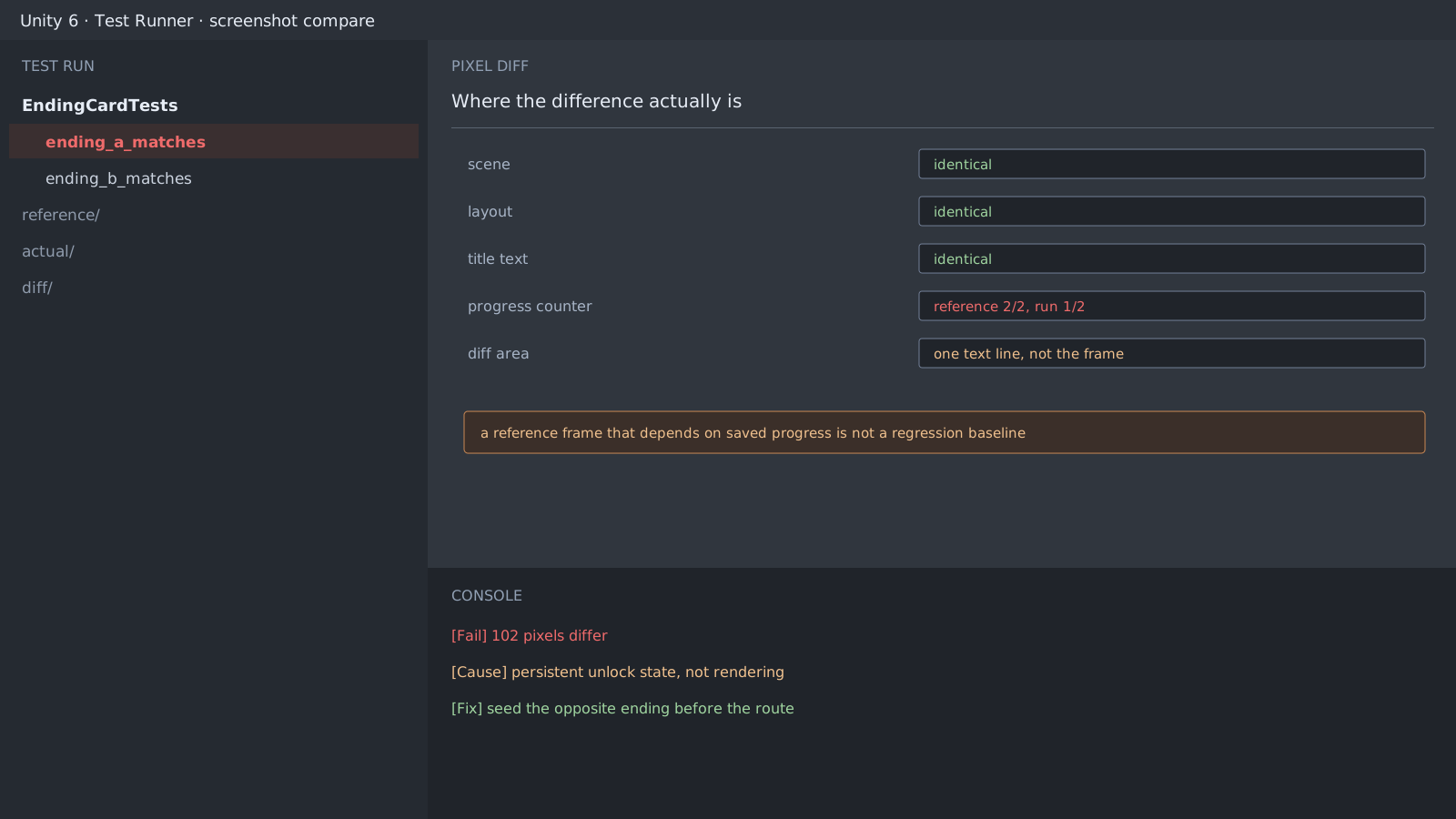
An ending-screen screenshot test failed by 102 pixels. Rendering or gameplay looked like the obvious suspects. Overlaying the two images showed the scene, layout, title, and treatment all matching, with one line different: the progress counter read 2/2 in the reference and 1/2 in the fresh run.
The cause was the reference, not the code. That image was captured from a save where both endings had been seen, while the test started from a clean profile. The case came from a Ren'Py project, but Unity reproduces it in the same shape. Any UI that reads saved data and draws a number has the same setup.
Where the same trap appears in Unity
- UI that renders a value read from
PlayerPrefsor a save file - Cumulative displays such as achievements, gallery locks, or completion rates
- Execution order where one test inherits the state another left behind
[SetUp]
public void SeedOppositeEnding()
{
    PlayerPrefs.DeleteAll();
    PlayerPrefs.SetInt("ending_b_unlocked", 1); // the A test seeds B
    PlayerPrefs.Save();
}
One rule removes the order dependency
The ending A test seeds B, and the ending B test seeds A. Either test then reaches 2/2 on completion, so neither depends on execution order or leftover state. This beats hiding the counter, because the counter is also under test.
$ dotnet test --filter EndingCard
EndingCardTests.ending_a_matches   passed
EndingCardTests.ending_b_matches   passed
Expected result and next step
Run the same tests twice in different orders, and two passes mean the state dependency is gone. Resolution is next: if the reference and the run differ there, the whole frame shifts rather than one line, so pin the resolution inside the test.
Official documentation review
Verified
Reviewed the article's code and procedure against official Unity documentation and marked it ready for publication. This is not a claim of an independent Unity project or device reproduction; version- or device-specific reports will be checked in that environment as follow-up.