First check: separate Editor vs build differences
The Editor compiles every variant you touch, while a build keeps only variants actually referenced by the scene (stripping). Particles and runtime keyword changes such as _EMISSION are the classic casualties.
Pin the reproduction with a Development Build
Enable Development Build and Script Debugging, rebuild the same scene. If it still disappears in the development build, suspect a missing material reference instead. If it only shows there, stripping is the culprit.
Two ways to keep stripped variants
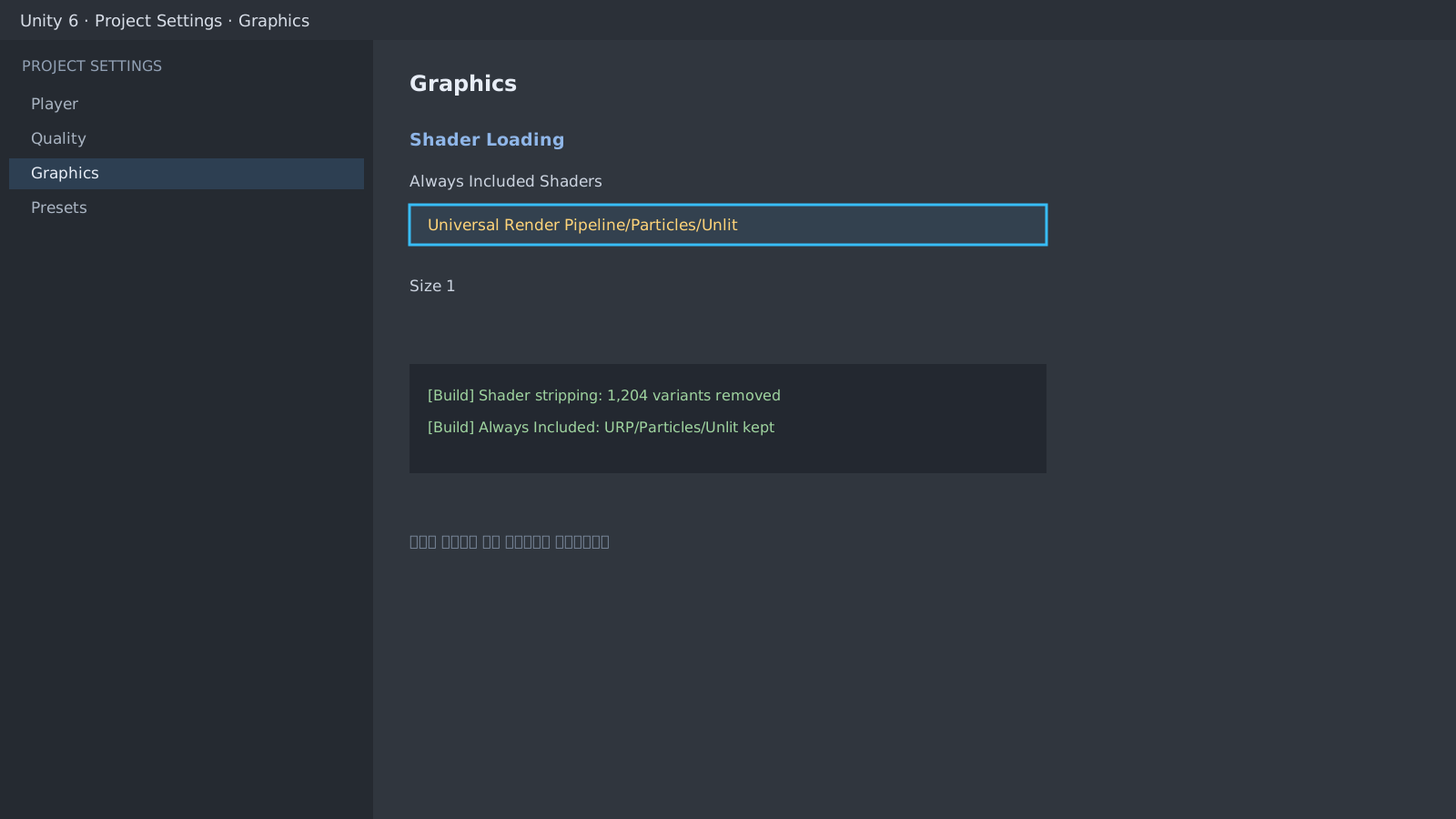
- Add the failing shader to Project Settings > Graphics > Always Included Shaders. Do this only for the specific shader; the cost is size.
- Create a Shader Variant Collection that contains the needed keyword combinations and include it in the Graphics settings.
// Runtime keyword toggles are easy to strip in builds
mat.EnableKeyword("_EMISSION");
// -> Keep the same combination pre-enabled on an Editor material
Check URP quality settings and graphics APIs
Different URP Assets per quality level mean the Editor and build can use different renderers. Match the renderer list and the Vulkan/GLES combination.
Expected result and next step
The same material should render identically in both. If not, review the shader variant collection log, then compare GPU time and draw calls in the Profiler guide. For sprites, continue with the pixel-art blurriness guide.
[Build] Shader stripping: 1,204 variants removed
[Build] Always Included: URP/Particles/Unlit (1 variant kept)Official documentation review
Verified
Reviewed the article's code and procedure against official Unity documentation and marked it ready for publication. This is not a claim of an independent Unity project or device reproduction; version- or device-specific reports will be checked in that environment as follow-up.