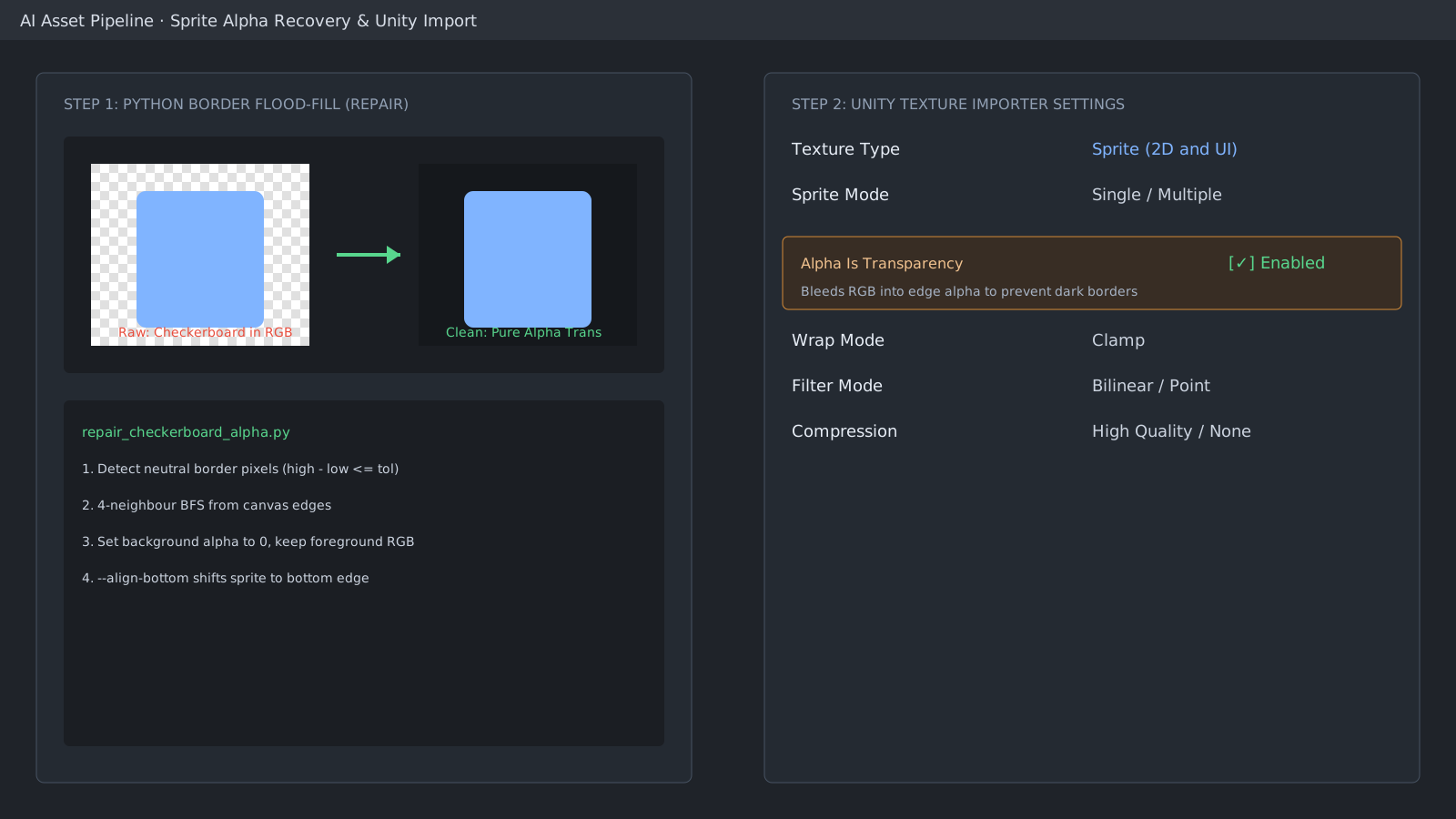
Separate baked checkerboards from foreground RGB
Some AI and background-removal tools write transparency while leaving checkerboard patterns in RGB. Under Unity bilinear filtering, semi-transparent border pixels sample this background color, creating visible white or gray halos. Use a boundary flood fill in Python to clean the alpha mask.
from PIL import Image
import numpy as np
from collections import deque

def recover_clean_alpha(rgba_img):
    arr = np.asarray(rgba_img).copy()
    rgb = arr[..., :3]
    h, w, _ = arr.shape
    diff = rgb.max(axis=2) - rgb.min(axis=2)
    neutral = (diff <= 12) & (rgb.min(axis=2) >= 230)
    seen = np.zeros((h, w), dtype=bool)
    q = deque([(0, x) for x in range(w)] + [(h-1, x) for x in range(w)])
    while q:
        y, x = q.popleft()
        if 0 <= y < h and 0 <= x < w and not seen[y, x] and neutral[y, x]:
            seen[y, x] = True
            for ny, nx in ((y+1,x),(y-1,x),(y,x+1),(y,x-1)):
                q.append((ny, nx))
    arr[..., 3] = np.where(seen, 0, 255)
    return Image.fromarray(arr)
Essential Unity Texture Importer settings
In Unity, set Texture Type to Sprite (2D and UI) and enable Alpha Is Transparency. This dilates opaque edge RGB into transparent pixels, eliminating dark fringes during linear color blending.
#if UNITY_EDITOR
using UnityEditor;
using UnityEngine;

public class SpritePostProcessor : AssetPostprocessor
{
    private void OnPreprocessTexture()
    {
        if (!assetPath.Contains("Art/Sprites/")) return;
        TextureImporter importer = (TextureImporter)assetImporter;
        importer.textureType = TextureImporterType.Sprite;
        importer.alphaIsTransparency = true;
        importer.mipmapEnabled = false;
        importer.wrapMode = TextureWrapMode.Clamp;
    }
}
#endif
Align bounding boxes to canvas bottom
Character sprites from image generation vary in vertical padding. Aligning the opaque bounding box to the bottom edge lets you standardize on Bottom Center sprite pivots across expressions.
Official documentation review
Verified
Reviewed the article's code and procedure against official Unity documentation and marked it ready for publication. This is not a claim of an independent Unity project or device reproduction; version- or device-specific reports will be checked in that environment as follow-up.