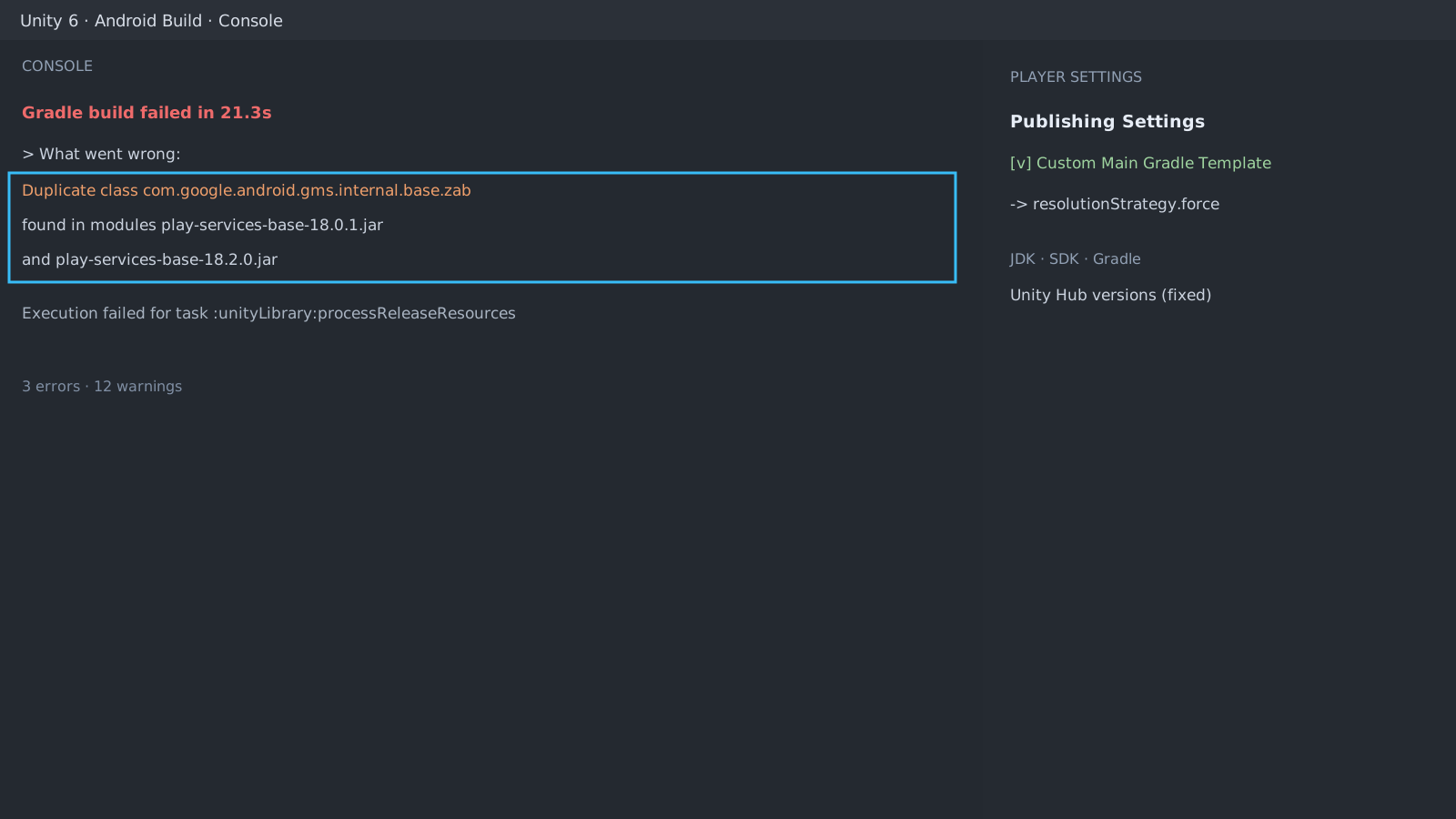
First check: the class name in the error
The package name after Duplicate class is the clash itself. Repeated com.google.android.gms entries mean two modules demand different versions of the same library.
Pin the toolchain first
Use the JDK, SDK, and Gradle installed by Unity Hub. Unchecking them in Preferences > External Tools to use system versions doubles the number of causes.
Force one version
The most recent package (ads or analytics SDK) is the likely culprit. Remove packages one at a time to narrow it down, then enable Custom Main Gradle Template under Player Settings > Publishing Settings and enforce the version:
// mainTemplate.gradle
configurations.all {
    resolutionStrategy {
        force 'com.google.android.gms:play-services-base:18.2.0'
    }
}
Expected result and next step
A passing build means done. When two packages require the same library, unify toward the higher version. If it still fails, continue with the AAB keystore automation guide to isolate the Gradle stage.
> What went wrong:
Duplicate class com.google.android.gms.internal.base.zab
play-services-base-18.0.1.jar and 18.2.0.jarOfficial documentation review
Verified
Reviewed the article's code and procedure against official Unity documentation and marked it ready for publication. This is not a claim of an independent Unity project or device reproduction; version- or device-specific reports will be checked in that environment as follow-up.