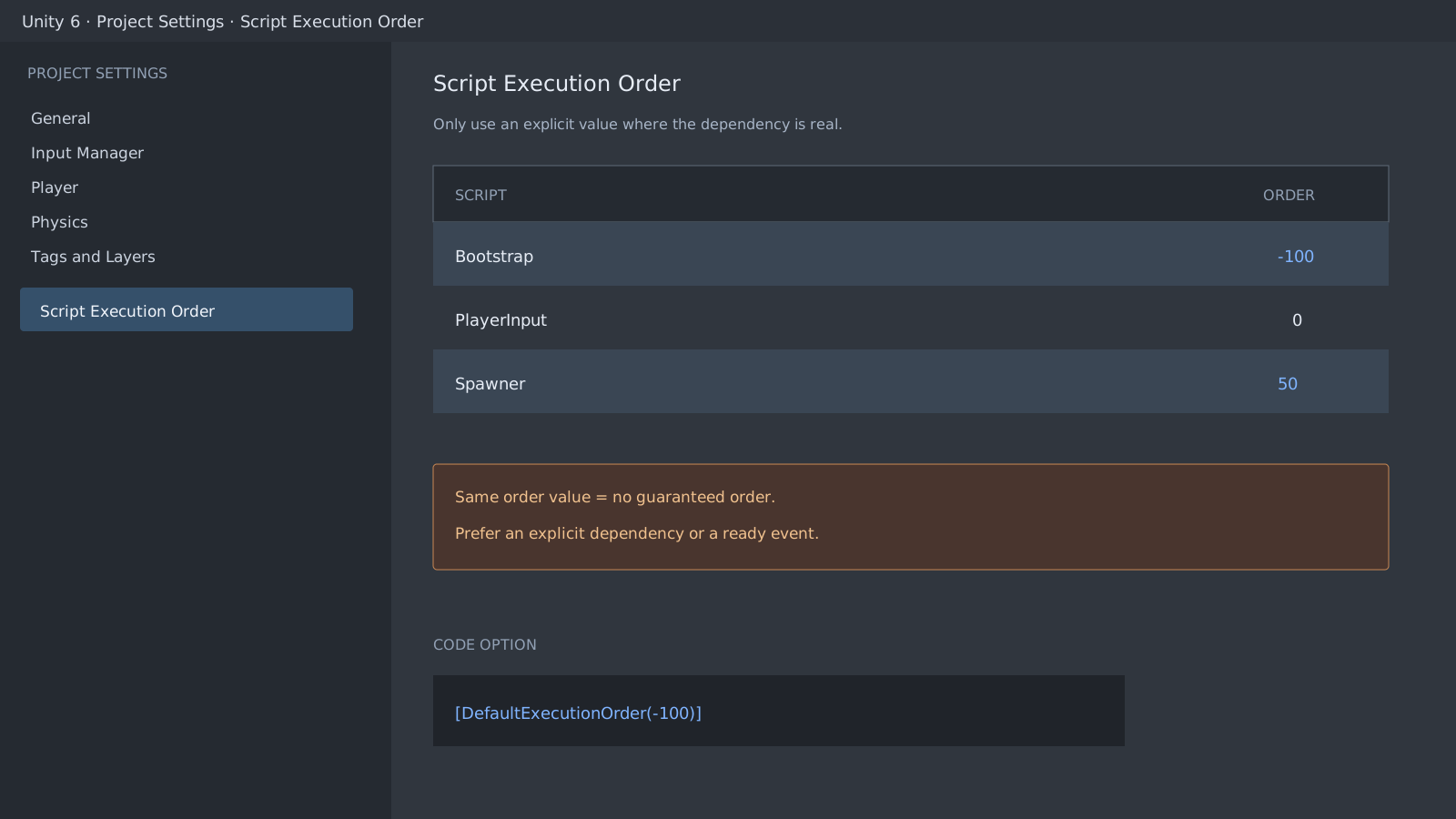
Separate Start-after-Awake from Awake-to-Awake order
For active objects in the initial scene, Unity calls every Awake before it calls Start. Splitting a producer's Awake from a consumer's Start is therefore a documented solution. The relative order between two different Awake methods at the same execution value is not guaranteed. Explicit readiness signals are safer once dynamically created objects, initially inactive objects, or additive scenes are involved.
using System;
using UnityEngine;

[DefaultExecutionOrder(-100)]
public sealed class GameBootstrap : MonoBehaviour
{
    public static bool IsReady { get; private set; }
    public static event Action Ready;

    [RuntimeInitializeOnLoadMethod(RuntimeInitializeLoadType.SubsystemRegistration)]
    private static void ResetStatics()
    {
        IsReady = false;
        Ready = null;
    }

    private void Awake()
    {
        IsReady = true;
        Ready?.Invoke();
    }
}
Signal readiness before consuming the data
Use Script Execution Order for the few dependencies that are truly global. For other cases, an event or an explicit Initialize call is easier to read and test. The consumer below handles a late subscription through IsReady. The static reset above prevents an old true value or subscribers from surviving when Domain Reload is disabled or a scene is entered again.
using UnityEngine;

public sealed class HudBinder : MonoBehaviour
{
    [SerializeField] private GameObject panel;

    private void OnEnable()
    {
        GameBootstrap.Ready += Show;
        if (GameBootstrap.IsReady)
            Show();
    }

    private void OnDisable()
    {
        GameBootstrap.Ready -= Show;
    }

    private void Show()
    {
        panel.SetActive(true);
    }
}
Check both configuration places
The value from DefaultExecutionOrder does not appear automatically in the Project Settings list. If the same type has a different value saved in the Editor UI, the UI value wins. Inspect both places after changing a number. Awake calls for additive scenes and runtime-created objects are not part of the initial scene's batch, so check an explicit readiness signal instead of assuming that another scene object is already initialized.
Official documentation review
Verified
Reviewed against the Unity 6 documentation and the shown code paths. This guide was not independently reproduced in a Unity project.