Unity 6.6 can serialize Dictionary fields directly
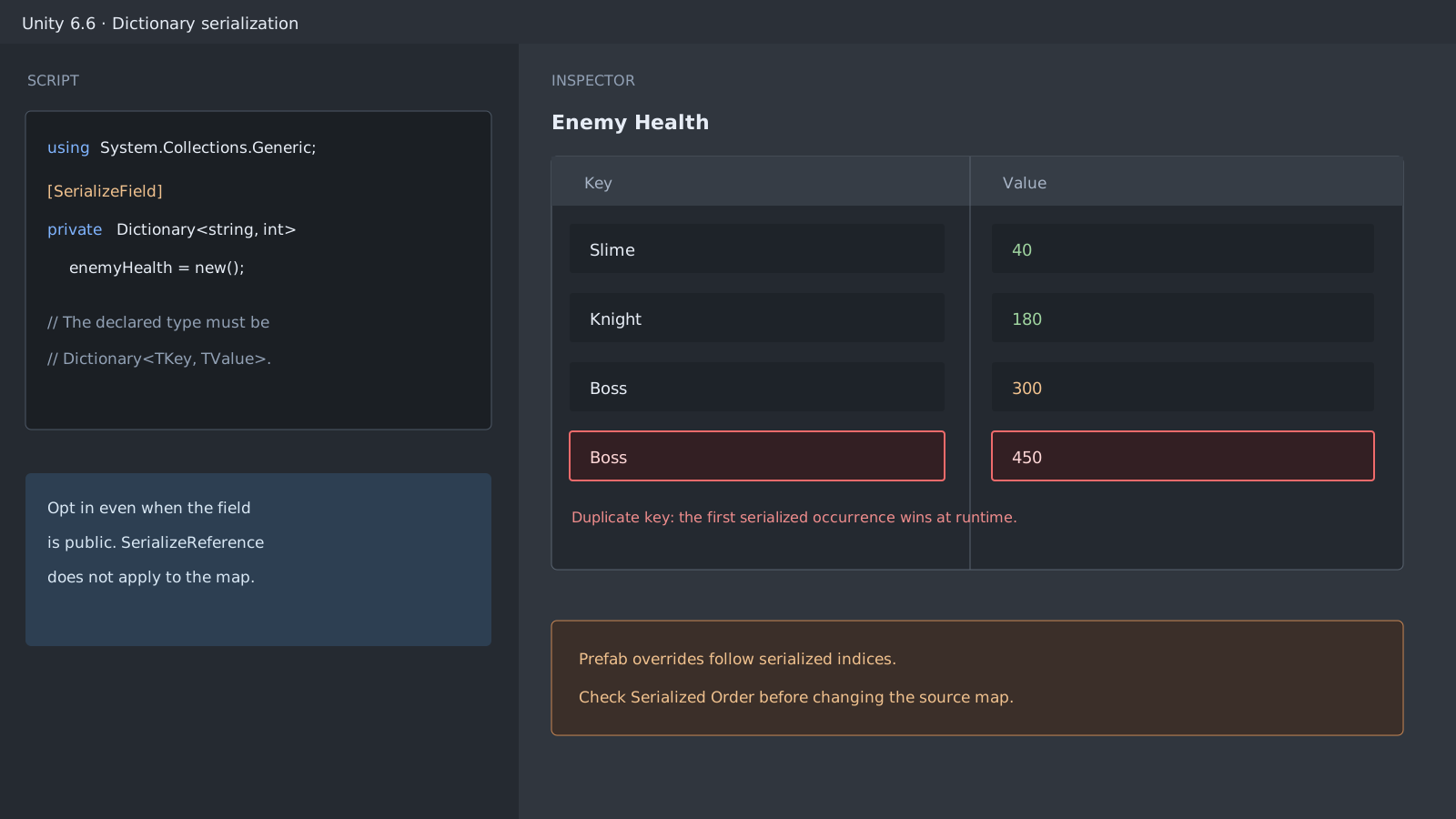
Unity 6.6 can serialize Dictionary<TKey, TValue> and presents its keys and values in two Inspector columns. The feature is opt-in. Add [SerializeField] even when the Dictionary field is public, and declare the field as the exact Dictionary<TKey, TValue> type rather than an interface or a custom derived type.
```csharp using System.Collections.Generic; using UnityEngine;
public sealed class EnemyHealthTable : MonoBehaviour { [SerializeField] private Dictionary<string, int> enemyHealth = new(); }
This replaces a direct List<Dictionary<string, int>> with List<StageRewards>. The Dictionary inside the wrapper still needs [SerializeField].
A field declared as `IDictionary<string, int>` or as a Dictionary subclass does not get the same serialization support. `[SerializeReference]` is also not valid for the Dictionary field. When the field is missing from the Inspector, check the Unity version, exact declared type, and `[SerializeField]` first.

## Key and value types have different limits
Keys and values can use primitives, enums up to 32 bits, Unity built-in types, serializable custom classes or structs, and `UnityEngine.Object` references. A collection can be a value but not a key. A Dictionary also cannot sit directly inside a List or array. Wrap it in a serializable class or struct instead.

```csharp
using System;
using System.Collections.Generic;
using UnityEngine;

[Serializable]
public sealed class StageRewards
{
    [SerializeField]
    private Dictionary<string, int> rewards = new();
}

public sealed class RewardDatabase : MonoBehaviour
{
    [SerializeField]
    private List<StageRewards> stages = new();
}
Inspector sorting does not rewrite serialized order
The Inspector can add and remove rows and sort the visible table by either column. Sorting changes only the view; it does not change insertion or serialized order. Search, filtering, and multi-object editing are not supported.
When duplicate keys exist, the Editor preserves the rows and shows a warning. At runtime, the first serialized occurrence wins. Remove duplicate keys before treating the asset as ready.
Prefab Overrides follow serialized indices
A Dictionary Override on a Prefab instance is tied to the serialized item index, not to the semantic key. Adding or removing an item in the source Prefab or asset can make an existing instance Override land on a different entry. Use Show Serialized Order before changing the source collection, then inspect the existing instance Overrides again.
Official documentation review
Verified
Cross-checked the Unity 6.6 Dictionary serialization manual with Unity's serialization rules. No local Editor reproduction or performance measurement was performed; Inspector behavior and limits are reported within the official documentation scope.